From load to CMR in one click.
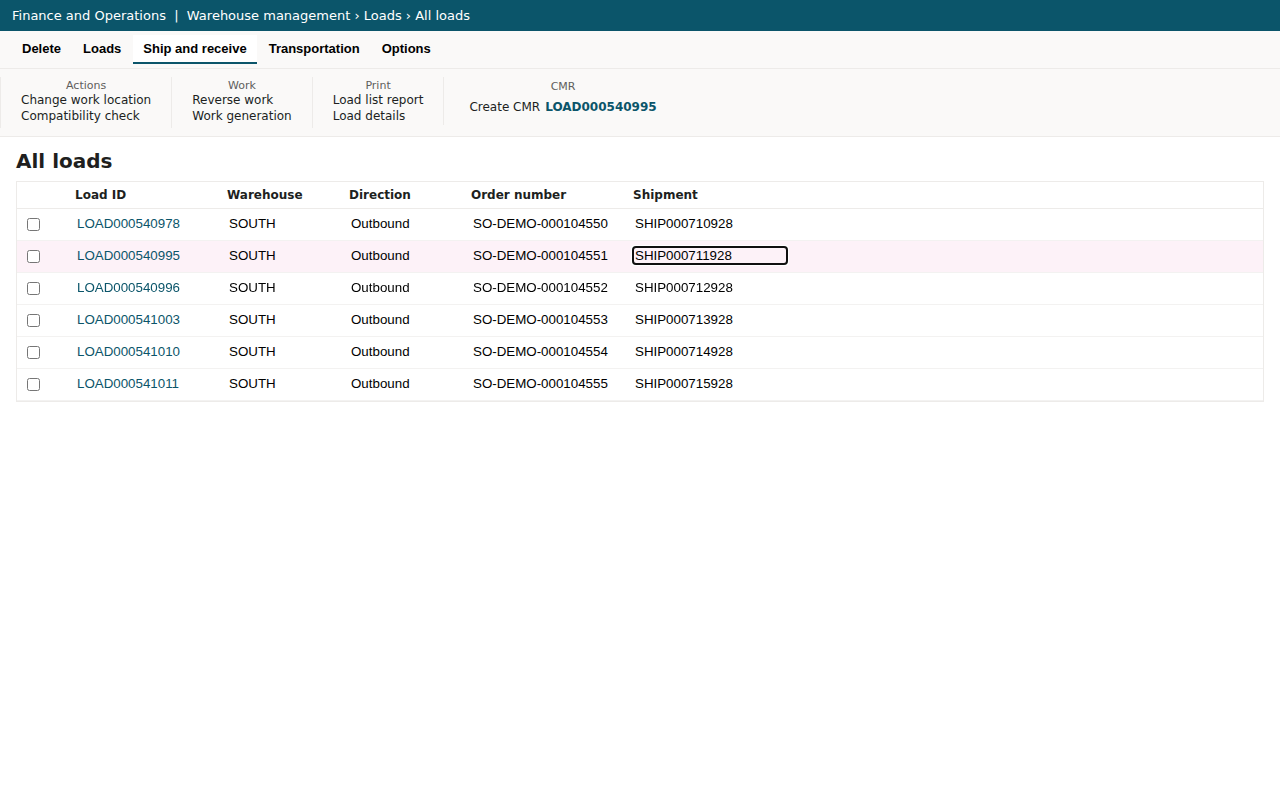
Open an outbound load in D365 and click Create CMR. The extension reads the load, its sales or transfer orders, the delivery address, the carrier and the weights, and fills in an IRU-model CMR: 24 boxes, four coloured copies, A4. Check it on screen, change what you need, print.
- Never writes to D365
- Sales and transfer orders
- Up to 4 languages per CMR
- PDF and CMR register
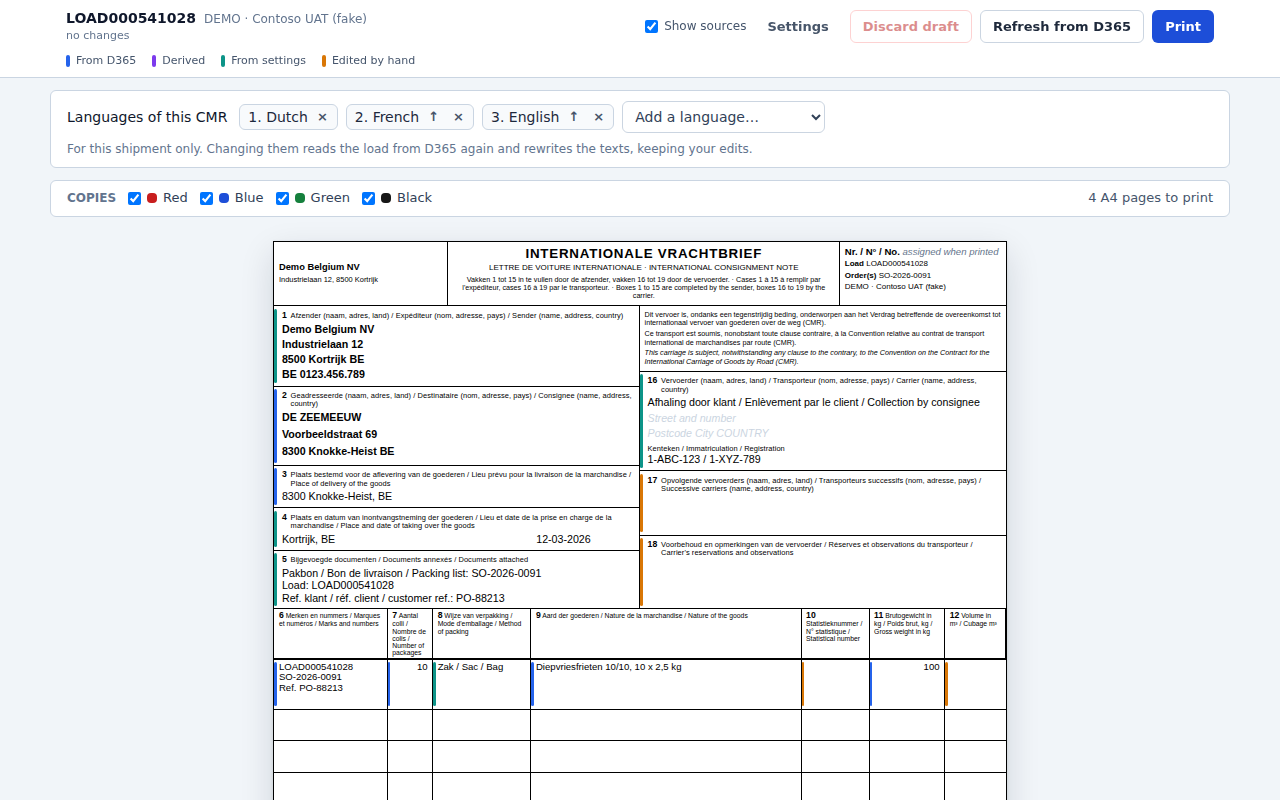
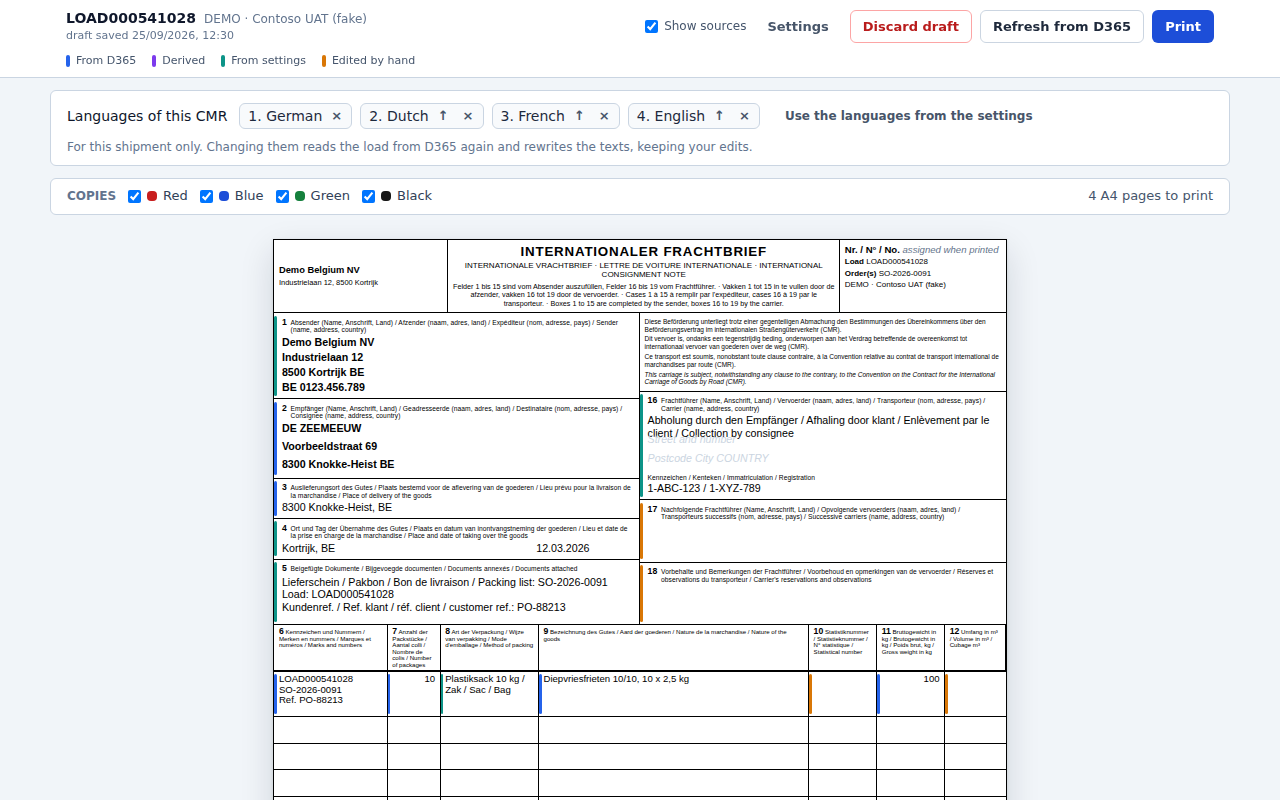
Boxes 1 to 24, from D365.
- Every box from the loadSender, consignee, place of delivery, goods rows, gross weight, volume, carrier and licence plates.
- The form in your languagesThe form’s own text in up to four languages at once: Dutch, French, German, English, Spanish, Italian, Polish, Portuguese, Czech, Slovak, Hungarian, Romanian. The first CMR takes the languages of your company’s country; change them per shipment.
- Pallets and packingCounts pallets from the warehouse work, can group load lines into fewer rows, and words the packing in box 8 from D365’s unit descriptions.
- Dates and decimals rightWritten the way your main language writes them, so the form reads naturally for the driver and the receiver.
- One load, several addressesOne CMR per delivery address when a load goes to more than one.
- Drafts and a registerA draft of every CMR you edit, and a register of every CMR you print, with CSV export. Any printed CMR opens again exactly as it printed.
- PDF where you want itA PDF of each printed CMR in Downloads or a folder you choose, including a SharePoint library synced by OneDrive.
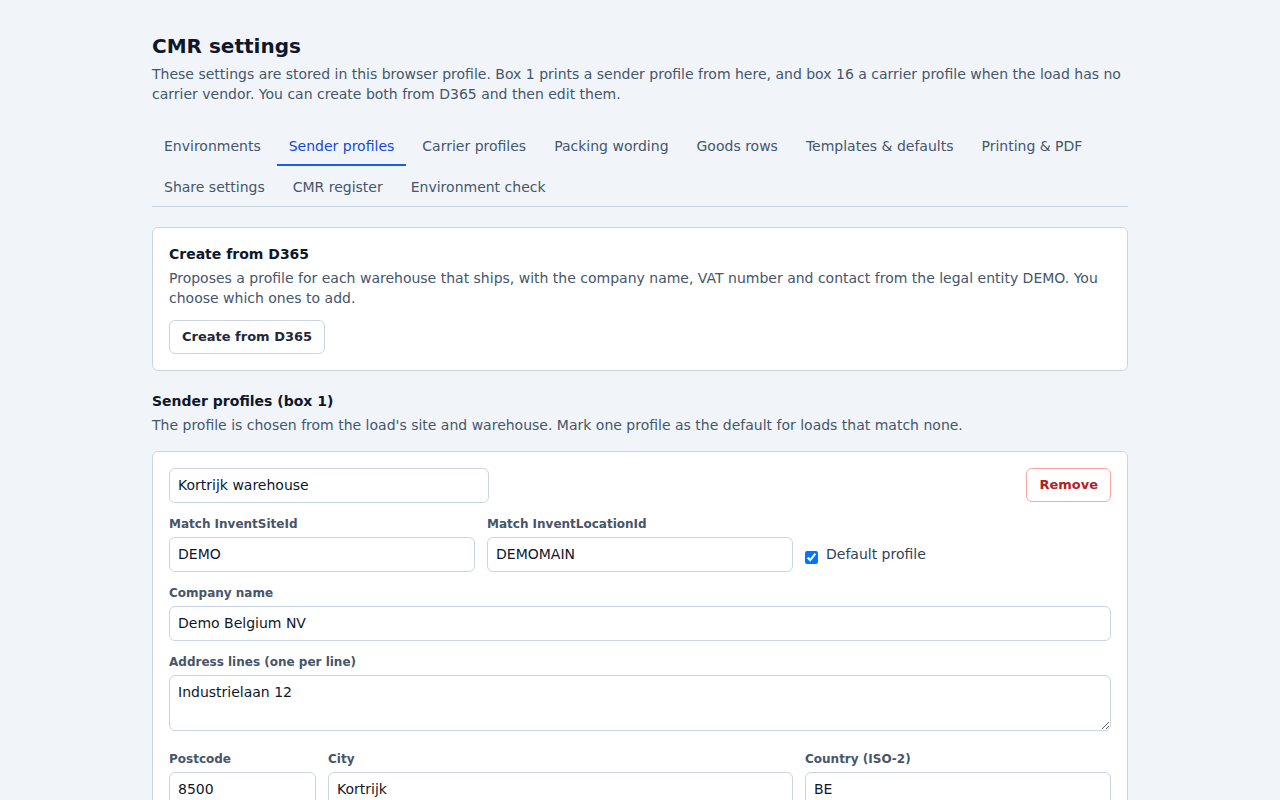
- One setup for the teamSender and carrier profiles created from D365; share the setup with colleagues through a settings file or a browser policy.
Set up once, then one click per load.
Setting up is done once, usually by a key user in logistics or IT. After that, anyone who ships can print a CMR from the load.
- 01 · First load
Create CMR on any outbound load
Under Warehouse management › Loads › All loads. The first time, the extension asks to add this D365 site; the company in the address becomes the default company.
- 02 · Environment check
A few seconds, once
Confirms that every entity and field the extension uses exists in your environment.
- 03 · Profiles
Sender, carrier and packing wording
Check the sender profile (box 1), carrier profiles (box 16) and packing wording (box 8), and export the settings for colleagues if you like.
- 04 · Every day
Select loads, print
Select one or more loads and click Create CMR, or type load IDs or a shipping date in the toolbar popup. Every box can be edited on screen; Print numbers the CMR and adds it to the register.
No service account, no D365 data sent.
Edge or Chrome 120+, and read access in D365
Read access to loads, sales orders and transfer orders in your company, and a signed-in D365 tab while you make a CMR. No app registration, service account or password.
Never writes to D365
It reads through the session you are already signed in with, so you only see what you may see in D365.
D365 data never leaves your browser
No tracking, no analytics. Settings, profiles, drafts and the register stay in your browser; PDFs are files you save yourself. Only the licence check talks to our licence server, with your email, the licence key and the environment host name. See Security.
A CMR is a transport document you sign. The extension fills it from D365 and points out values worth checking, but the content is yours: check every CMR before it is signed. See the terms of use.
One price for the team.
Try it on your own loads first: the 5-day trial starts in the extension, with no credit card. Then one licence covers everyone who prints CMRs in one D365 environment.
per month for one D365 environment, excl. VAT
- Every CMR from your outbound loads, sales and transfer orders
- Up to 4 languages per CMR, PDF and CMR register
- One environment, up to 10 people
per year for one D365 environment, excl. VAT
- Everything in Team
- Two months free compared to monthly
Several environments or more than 10 people? Annual invoice, quoted.
Ask for a quote →